
AI Symptom Tracker
The problem
Caregiving for an adult is physically, mentally, and emotionally difficult — and it's a role you have to adapt to as you go, while trying to help someone you love. One of the biggest challenges is symptom tracking, which is even harder for the care recipient, especially with dynamic chronic conditions, illness, or disabilities in the mix. Caregivers managing all of this often get overwhelmed and stop tracking their own health and symptoms along the way. Symptom tracking matters — it's how you understand a condition, manage it, and partner with doctors on care. Plenty of apps exist for this, but most are hard to use, force symptoms into rigid categories, and eat up time and energy you don't have to spare.
The approach
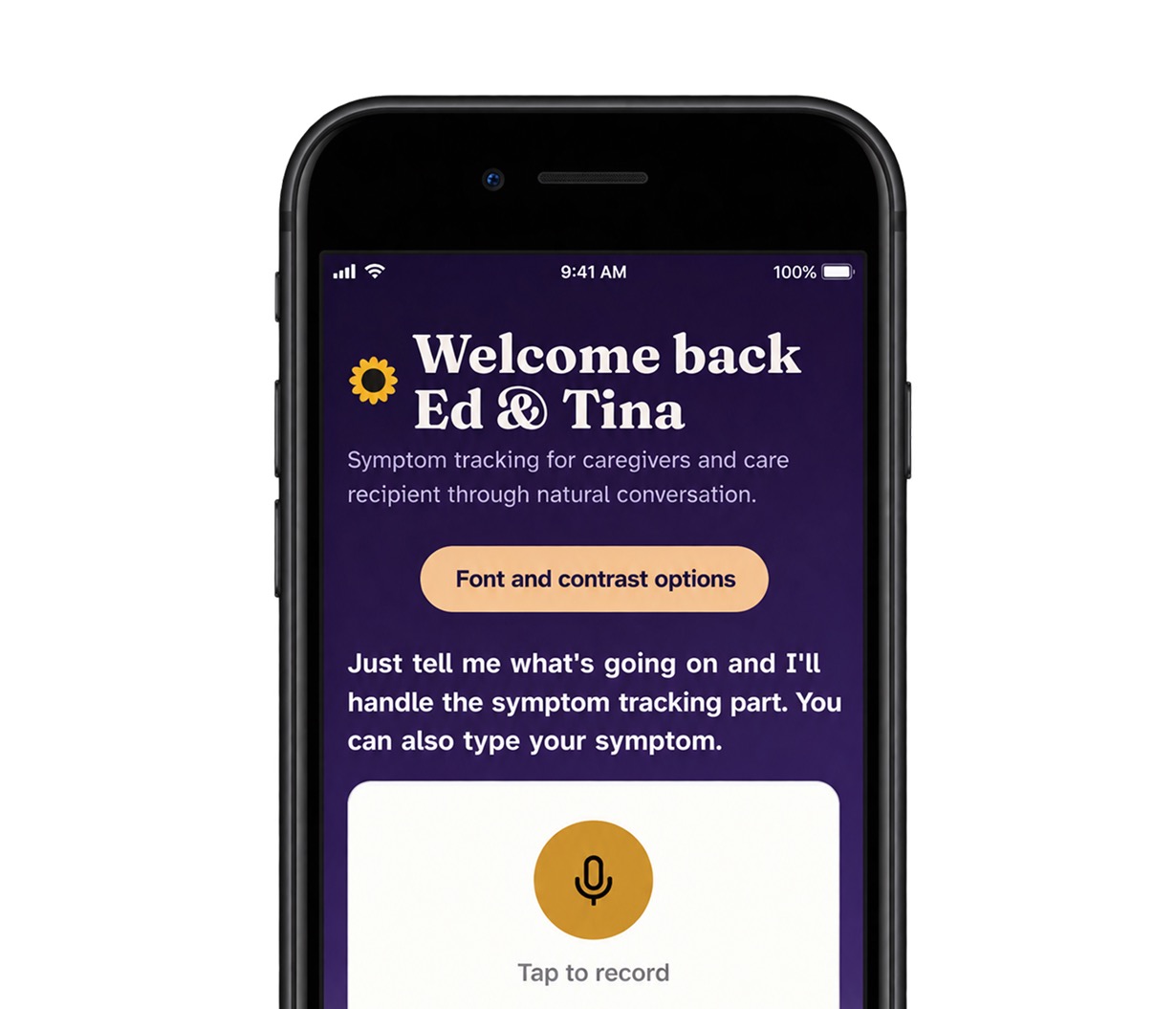
Our hypothesis: symptom tracking in natural language, in natural settings, would get the best results. Everyday speech, we believed, was the easiest way to track a symptom — and the only way people would actually keep doing it. We took a design-thinking approach, with a mindset on speed and resourcefulness, and tested the hypothesis fast and free, using what we already had on hand: an iPhone, Apple Shortcuts, and Google Gemini. The next evolution of this product is a physical device modeled after the sunflower — the globally recognized symbol for invisible disabilities. A physical device improves usability, enhances audio, increases accessibility, and doubles as a way to raise awareness.
AI design and consideration
Testing on ourselves made it clear the AI's output needed real design consideration, and that the prompt had to be built backward from our desired outcome — that became our starting point for crafting it. Those design changes made the whole experience better. We designed the output to be mobile-first, with font size and contrast controls — something most AI models still don't offer. We also wanted users to understand that AI is probabilistic, not deterministic, and will make mistakes. At the same time, we wanted to build real confidence in what it could do, given high-quality data and well-built prompts. Users needed to stay in control of their data, their outcomes, and their health — and to play a part in making the model better, so the experience keeps improving for everyone using it.
Want to know more? let's chat